Most subscription systems become hard to reason about the moment a customer changes something.
Not when they subscribe.
When they upgrade in the middle of a cycle. When they downgrade after a budget review. When they move from monthly to yearly. When you deprecate a plan. When you improve a feature for everyone. When you reduce limits for new customers but need existing accounts to keep working.
This is where "flexible billing" often turns into policy sprawl.
At Commet, the timing is explicit:
Plan groups define product progression with sortOrder; interval direction and the exact field being changed determine when it applies.
That contract keeps subscription changes understandable without guessing from price.
Why billing changes get messy
Most teams are not actually confused about pricing.
They are confused about timing.
Questions like these are what create support tickets:
- Do I get charged now or later?
- Do I lose access immediately?
- If I already paid, do I get a refund?
- What happens to seats and limits?
- Can I switch by myself in the portal?
If the rules are inconsistent, every plan change becomes a custom explanation.
That does not scale.
The Commet rule set
Commet handles the main subscription changes with a consistent commercial logic.
| Change | What happens |
|---|---|
Move to a higher-sortOrder plan without changing interval | Immediate, with credit and a new billing cycle |
Move to a lower-sortOrder plan without changing interval | Takes effect at renewal |
| Monthly -> Yearly | Immediate |
| Yearly -> Monthly | Takes effect at renewal |
| Free -> Paid | Immediate, full new charge |
This is not just a technical implementation detail. It is a policy choice designed to keep billing legible.
Upgrades happen now, and proration keeps the math fair
If a customer upgrades mid-cycle, they should get the new plan immediately.
That is the whole point of upgrading.
Commet credits the unused portion of the current plan, charges the new plan in full, and restarts the billing cycle on the change date.
Starter: $29/month
Pro: $99/month
Upgrade on day 15 of a 30-day cycle

Credit for unused Starter time: $14.50
Full Pro charge: $99.00
Pay today: $84.50
The credit preserves the value of unused Starter time while the full Pro charge starts a new monthly period.
Downgrades wait until renewal
Downgrades are different.
Inside a plan group, a move to a lower sortOrder is scheduled when the interval is unchanged. A lower price alone does not make a plan a downgrade.
So in Commet:
- the current plan stays active until renewal
- the lower plan takes effect on the next cycle
- there is no mid-cycle refund logic to untangle
This is easier for everyone involved.
The customer knows they keep access through the time they already bought. Your team does not need to explain partial reversals or access reductions in the middle of a paid cycle.
Interval changes follow the same logic
Billing interval changes have their own explicit direction.
That means:
- Monthly -> Yearly is immediate
- Yearly -> Monthly waits until renewal
Interval direction takes precedence over plan order: a longer interval starts immediately and a shorter interval starts at renewal. Paid-to-free changes are always scheduled.
Free to paid is immediate
Free plans do not create billable credit.
So when a customer moves from free to paid, there is nothing to prorate. They simply start the paid subscription and pay the full price of that plan.
That keeps the flow straightforward:
- free plan ends
- paid plan starts
- checkout happens now
Plan changes are not only about price
Subscription-change logic also matters when the plan itself changes over time.
This is where a lot of systems become opaque.
Feature changes follow field-specific rules:
- an exact beneficial change to included usage, availability, unlimited access, overage price, or AI margin can update the current-period snapshot
- a detrimental change is scheduled for renewal
- base-price and included-balance catalog edits are picked up at the next renewal or reset rather than rewriting the current period
Examples:
- You raise an API limit from 5,000 to 10,000: existing customers get it now
- You lower that limit from 10,000 to 5,000: existing customers keep the old limit until renewal
That protects customer trust while still letting you evolve your plans.
Self-serve changes require structure
A self-serve plan switch should not mean unlimited plan chaos.
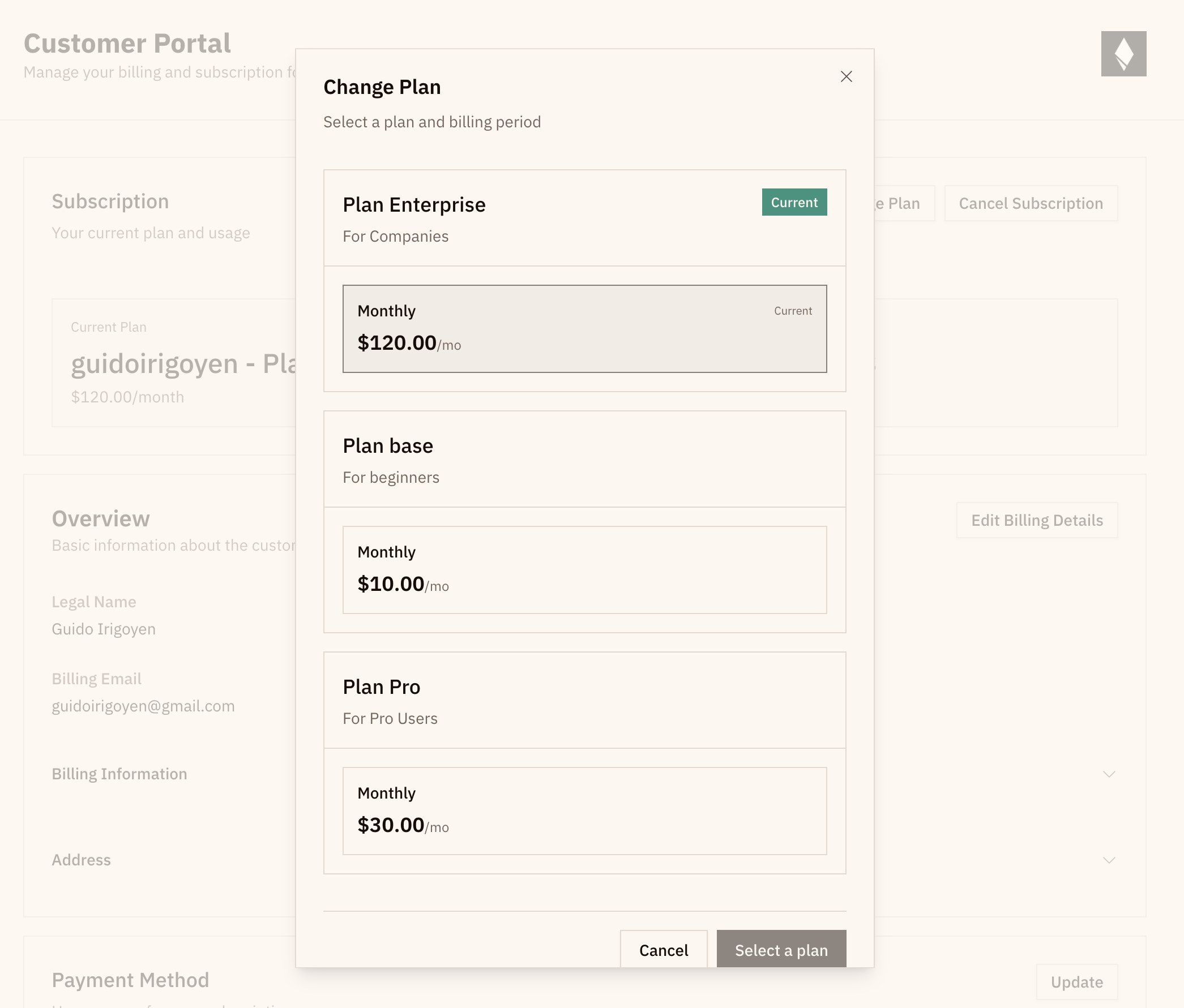
In Commet, customers can only upgrade or downgrade through the portal when plans are organized into a Plan Group.
That matters because the portal needs a defined path:
- which plans are in the same commercial family
- what order they sit in
- which moves count as upgrades or downgrades
Without that structure, plan changes become manual. With it, self-serve changes stay safe and predictable.
Deprecating and deleting plans should not punish current customers
Eventually every pricing system changes.
Some plans need to disappear from the pricing page. Some need to be retired entirely.
Commet handles those cases explicitly:
- Deprecating a plan removes it from sale, but existing customers stay on it
- Deleting a plan is a soft delete and does not automatically cancel or migrate existing subscriptions
That keeps old subscriptions stable without freezing your pricing forever.
The goal is not more flexibility. It is fewer surprises.
The best subscription-change system is not the one with the most branches.
It is the one customers can understand without contacting support.
That is why Commet keeps the rules explicit:
sortOrderdefines plan direction- interval direction is independent
- fair proration when needed
- explicit structure for self-serve changes
That is what subscription logic should feel like: not magical, just coherent.
Read Manage subscriptions, review what happens when a customer changes plans, learn how proration works, or try Commet in sandbox.